Color Clash
Read the rule before your reflex reads the color.
How to play
Start the 55-second run and read the rule above every prompt: MATCH INK means choose the color or symbol used to draw the word; MATCH WORD means choose the color name written by the letters. Tap one of six fixed options or press 1–6 before the trial bar empties. Correct answers build combo and score, while a wrong answer or timeout costs one of three lives.
What is Color Clash?
Color Clash is a 55-second attention game built around the Stroop effect: the meaning of a color word competes with the color used to display it. A prompt might show the letters BLUE in rose ink. If the active instruction says MATCH INK, Rose is correct. If it says MATCH WORD, Blue is correct.
The six answers never move. Each has a permanent keyboard number, written label and geometric symbol in addition to its color. The prompt repeats the ink symbol behind the word, so players can identify the intended ink even when two hues are difficult to distinguish. Color improves the visual signal, but it is never the only signal.
How to play
- Press Enter the clash to start a 55-second run.
- Read the instruction above the prompt before every answer. MATCH INK asks for the glow and its glyph; MATCH WORD asks for the letters.
- Tap or click one of the six labeled tiles. On desktop, keyboard keys 1–6 select the same fixed positions.
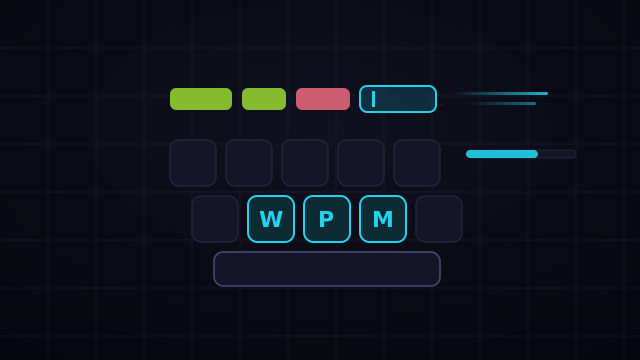
- Answer before the thin trial bar below the word empties. The response window shrinks as the run advances.
- A correct answer adds points and grows your combo. A wrong answer or an expired prompt removes one focus life and resets the combo.
- The run ends when time expires or all three focus lives are lost.
Rule progression
The opening rule stays stable for four trials at a time, giving you space to learn the controls. Rule blocks then compress to three trials, two trials and eventually a switch after every answer. The current instruction is always written in a high-contrast badge, and a Rule switched label announces every transition.
Every run is generated from a seed. The displayed conflicts, answer order and rule schedule therefore replay exactly. Daily mode gives every player the same sequence.
Scoring
Every correct answer starts with a base award. Fast responses add a speed bonus, later trials add a pressure bonus, and an unbroken combo adds progressively more points up to its cap. Guessing carelessly is expensive: mistakes award nothing, reset combo and consume a focus life.
Strategy tips
- Read the badge first. Building a tiny “rule, then prompt, then answer” ritual is faster than recovering from an automatic response.
- Use the symbols. The prompt's background glyph identifies the ink independently of hue. Match that glyph when the instruction says INK.
- Keep the option map in memory. The six tiles and keyboard numbers never change, so repeated play turns selection into a short motor response.
- Reset after a switch. When the badge announces a change, deliberately slow the next answer by a fraction of a second. That protects the combo that matters more than one speed bonus.
- Look centrally. The large word, ink glyph and rule badge all fit within one visual column on mobile, reducing eye travel.
FAQ
Is Color Clash color-blind friendly?
Yes. Each answer uses a written name, number, stable position and unique symbol. The prompt encodes its ink with the same symbol, and screen readers announce both the word and ink explicitly.
Does pausing consume time?
No. Both the overall run and each answer deadline use the game's pause-aware logical clock. Host modals, backgrounding and explicit pauses freeze time.
Is Daily mode fair?
Yes. Trial generation is deterministic from the shared Daily seed. Everyone receives the same conflicts and deadlines, and submitted input traces can be replayed to the exact final state.
Does it work in landscape and on desktop?
Yes. Portrait uses a two-by-three answer grid with large touch targets. Wider layouts use either a three-by-two grid or place the prompt and controls side by side, while keeping the entire game inside the viewport.